Email Sandbox Overview
Capture, inspect, and simulate staging and test emails using dedicated Inbound MX inboxes or an authenticated SMTP relay.
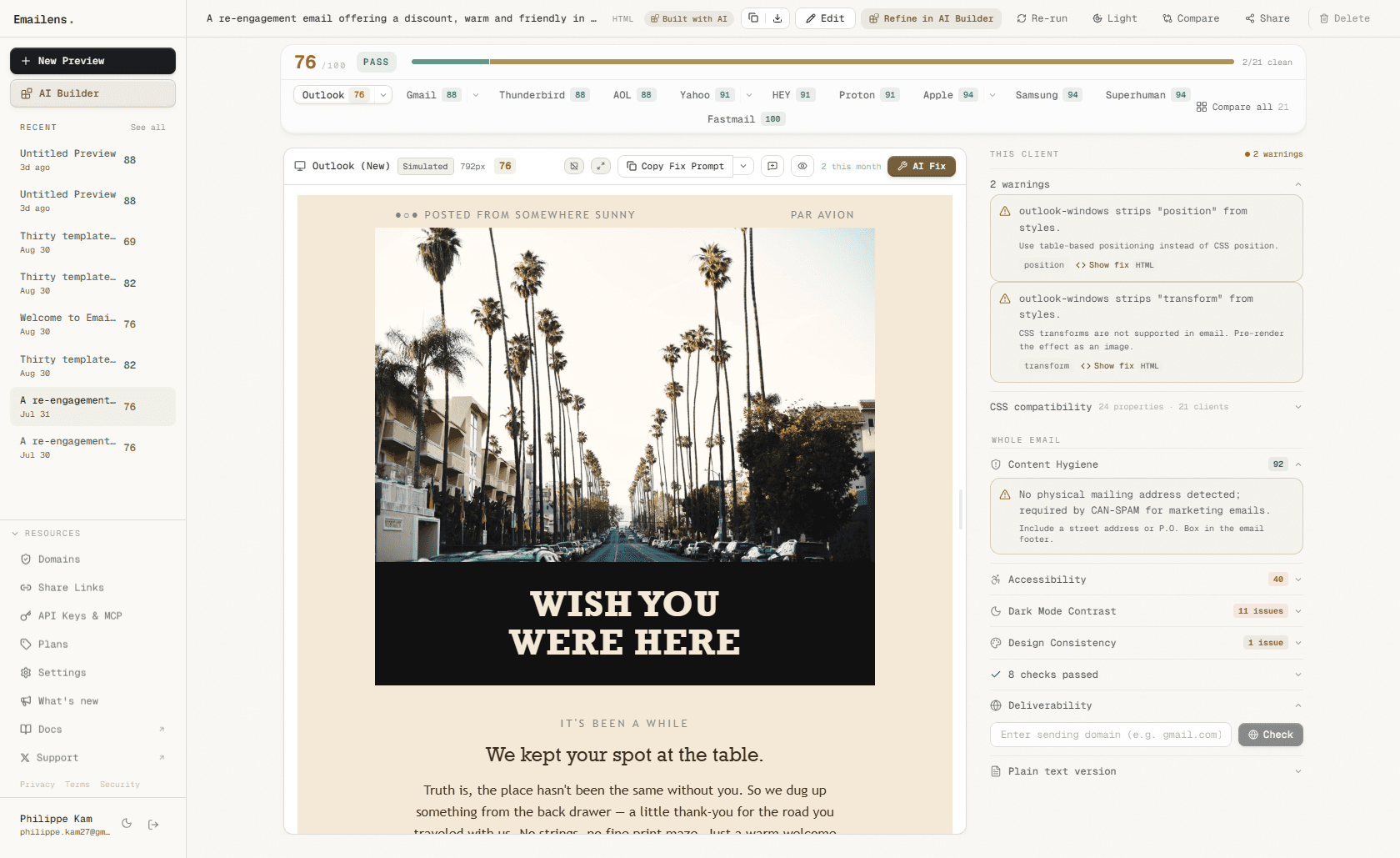
The Emailens Sandbox provides an isolated email testing environment for software engineers, QA teams, and AI coding agents. It prevents test emails from accidentally escaping to real customers while providing deep deliverability analysis, automatic OTP token extraction, and cross-client visual rendering simulation across 21 inbox engines.
Why a Dedicated Email Sandbox?
Traditional email staging tools (such as Mailtrap or local MailHog instances) capture raw MIME emails, but they only show a standard browser preview in an <iframe>. They cannot reveal how Microsoft Word in Outlook desktop will mutilate your tables, how Gmail mobile will invert your brand colors in dark mode, or how Apple Mail will parse your CSS media queries.
Emailens unifies the entire email testing loop:
- Safe Ingestion: Route emails from your app via standard SMTP or receive direct transactional emails via private inbound addresses.
- Deep Inspection: Audit MIME headers, extract verification codes and magic links, analyze SpamAssassin rules, and verify SPF, DKIM, and DMARC.
- Engine-Level Visual Simulation: With one click, send the captured email straight to Emailens 21-client rendering preview to inspect real DOM transforms.
- CI/CD & Agent Loops: Wait for messages programmatically in Playwright or query inboxes through the Model Context Protocol (MCP).
Two Dedicated Ingestion Modes
Each sandbox inbox in Emailens is dedicated to exactly one ingestion type to guarantee zero configuration confusion:
| Feature | Direct Email Inbound | Authenticated SMTP Relay |
|---|---|---|
| Target Use Case | Third-party services, webhooks, transactional APIs (Auth0, Supabase, Stripe, Clerk, Resend) | Backend application code (Nodemailer, Laravel, Django, Rails, Go, Docker) |
| Connection Method | Send to inbox+...@{token}.try.emailens.dev | Connect to smtp.emailens.dev:2525 |
| Authentication | Address tokenization | Dedicated per-service credentials (esmtp_...) or API key |
| Encryption | Standard TLS over MX | STARTTLS enforced on port 2525 |
| Configuration | Set as the recipient email address in your test | Configure SMTP host, port, user, and password in .env |
Core Capabilities
1. Verification Token & Magic Link Extraction
Authentication tests in end-to-end suites (Playwright, Cypress, Selenium) frequently get blocked waiting for an email. Emailens automatically parses incoming emails and extracts:
- 6-digit & alphanumeric OTP verification codes
- Hyphenated tokens (e.g.
123-456) - Primary Call-To-Action (CTA) and magic link URLs
Your test suite can query GET /api/sandbox/v1/messages/wait and immediately receive the parsed code to finish authentication without scraping raw HTML.
2. Deliverability & Spam Analysis
Inspect how email filters evaluate your staging messages before you launch:
- Spam Score & Rules: Breakdown of triggered SpamAssassin heuristics (e.g. suspicious link text, uppercase subject line, image-to-text ratio).
- Authentication Results: Automatic check of
SPF,DKIM, andDMARCrecords from MIME headers. - Size & Clipping Limits: Warnings when the HTML payload approaches Gmail's 102KB clipping cutoff.
3. Instant 21-Client Rendering QA
Captured emails are ready for immediate visual testing. Click Simulate rendering on any captured message to load its exact HTML, CSS, and inline styles into the Emailens cross-client visual engine:
- Outlook 2016-2024 (Word rendering quirks)
- Gmail Web, iOS, and Android (class stripping and attribute filtering)
- Apple Mail (native dark mode support)
- Samsung Mail, Thunderbird, HEY, Superhuman
4. Per-Service SMTP Credential Rotation
Unlike shared testing environments where everyone uses one static password, Emailens lets you generate distinct credentials for each microservice or developer. When an environment rotates or a key is retired, you can perform zero-downtime rotation directly from the dashboard or REST API.
Next Steps
- Direct Email Inbound: Capture test emails from web apps and SaaS providers.
- SMTP Relay Setup: Configure Nodemailer, Laravel, Django, and other frameworks.
- Credentials & Rotation: Manage per-service credentials and zero-downtime rotation.
- Automated Testing in CI/CD: End-to-end testing with Playwright, Cypress, and Vitest.
- AI Agents & MCP Integration: Test email auth flows autonomously using Cursor and Claude.