Web App
Dashboard & Preview History
Manage saved email previews, compare versions with visual diffs, and monitor daily quota usage.
The Emailens Dashboard at emailens.dev/dashboard gives authenticated users access to past email analyses, organization tools, and quota tracking.
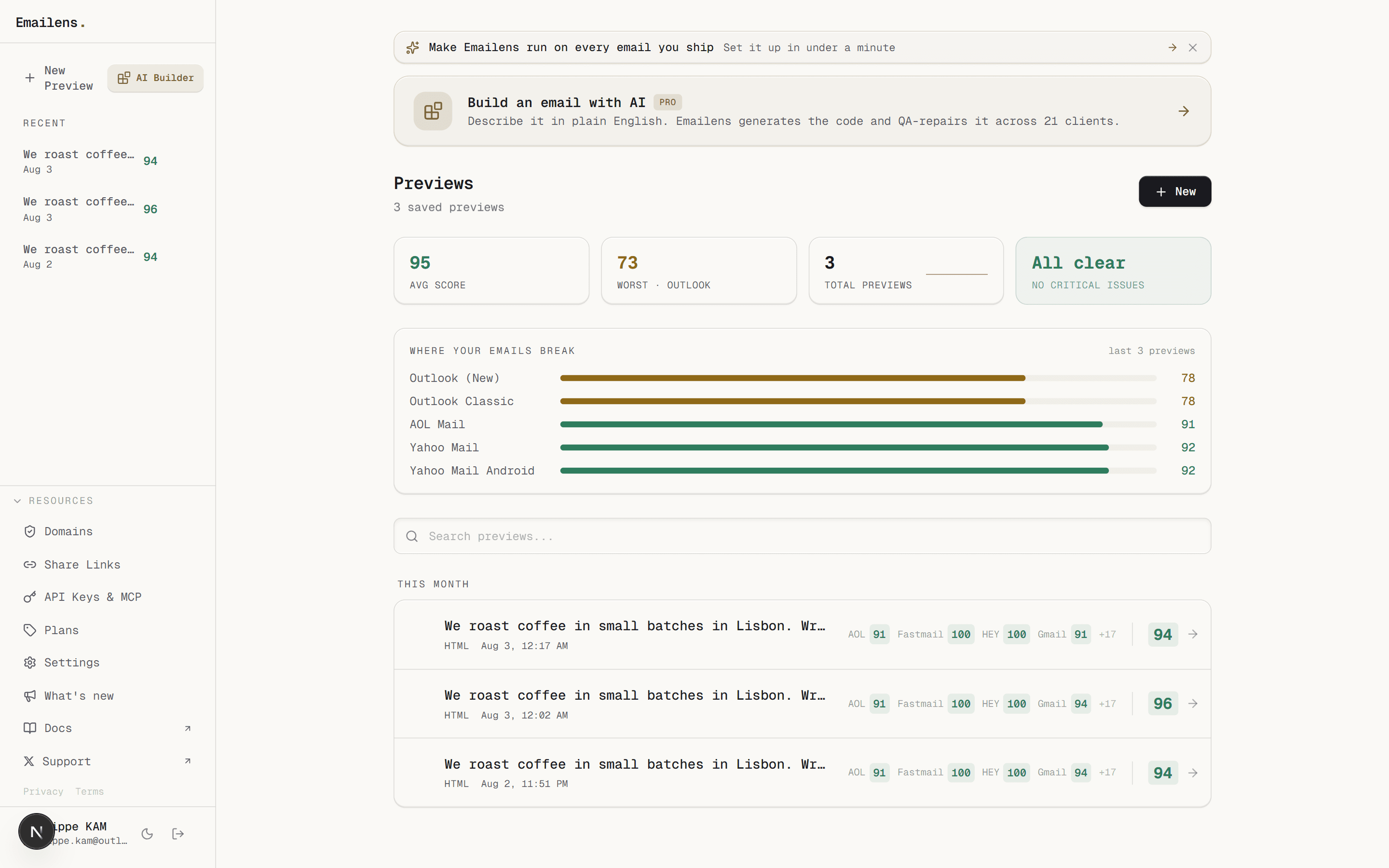
Recent Previews Rail & History
- 30-Day Retention: All saved previews retain full 14-point audit metrics, client transforms, and score snapshots.
- Search & Filter: Rapidly find templates by title or timestamp.
- Inline Renaming & Management: Click the pencil icon to rename previews or trash icon to remove outdated templates.
- Persistent Sidebar Rail: Quick access to your 8 most recent previews while navigating anywhere in the app.
Visual Diff Comparison
Compare two previews side-by-side to verify fixes and measure improvement:
- Select any two saved previews.
- Click Compare Versions.
- View the delta across:
- Score Deltas: Client score increases or regressions.
- Warning Resolution: Specific CSS warnings resolved or newly introduced.
- HTML Diff: Code-level changes between submissions.
Quota & Usage Metering
The sidebar tracks real-time quota consumption for your current billing cycle:
- Previews Meter: Daily count with progress bar and near-limit indicators (resets daily at 00:00 UTC).
- AI Actions: Lifetime (Free) or monthly allowance (Dev/Pro).
- Monitored Domains: Active sending domains tracked for DNS drift.